Contracts signed, filed and easy to find in five steps
You upload the contracts, each artist signs from their phone and everything lands in the right folder.
How it works
Step 1: You upload your contracts
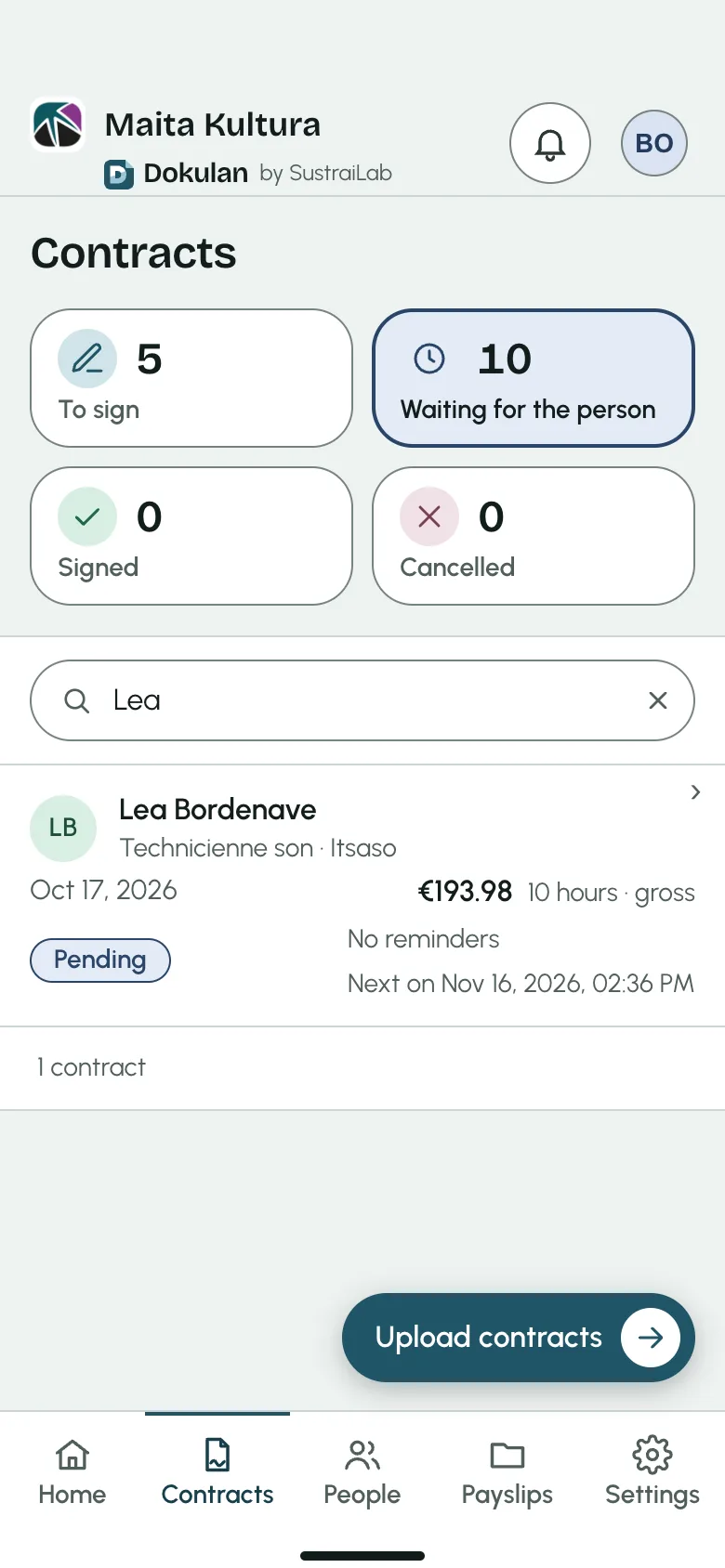
Add the month’s contracts. Dokulan recognises the artist on each one and prepares the sending.
Step 2: You sign, then send
The organisation signs first, in one gesture, and all the contracts go out together.
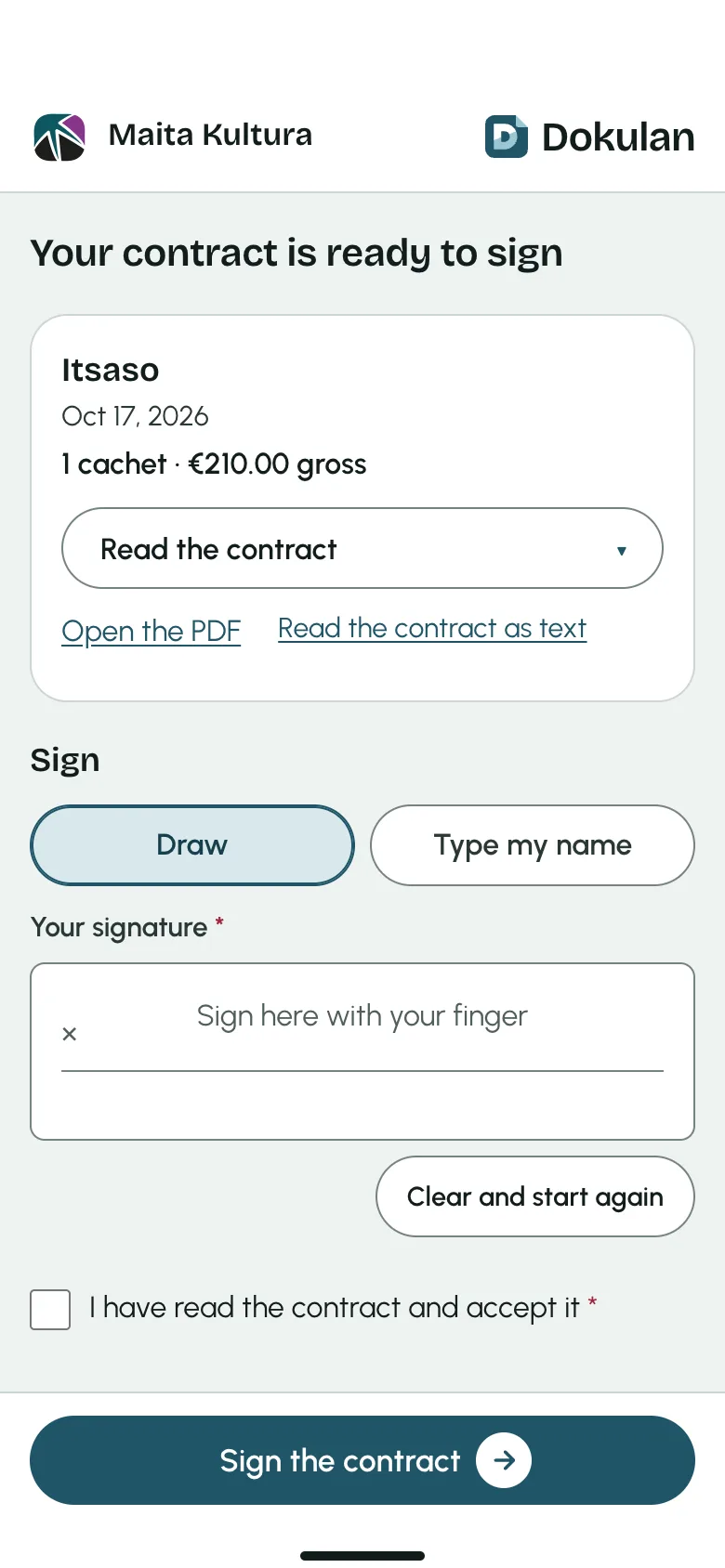
Step 3: The artist signs from their phone
They get a link by email, open it, read their contract and sign with a finger.
Step 4: Reminders do the follow-up
If a signature takes a while, Dokulan reminds the artist and you see the status of every contract.
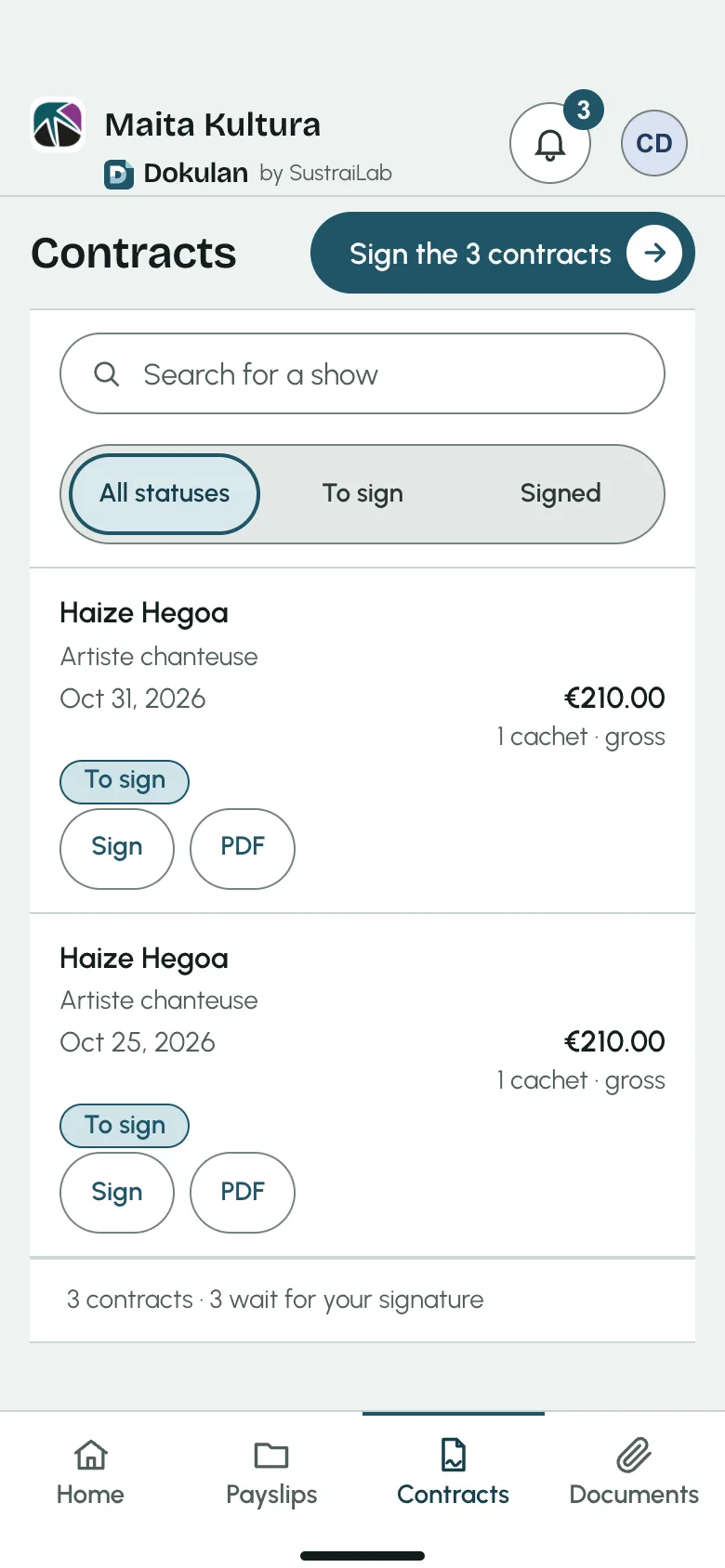
Step 5: Everyone finds their documents
The signed contract, with its proof of signature, joins the artist’s folder next to their payslips and certificates.
What you gain
One place for all your signatures
See at a glance what is signed and what is waiting.
Artists at ease
Signing from their phone, in their language, whenever and wherever they like.
Time for your project
Sending, reminders and filing happen on their own, so you can focus on your work.
Every document in its place
Contracts, payslips and certificates reach the right artist’s folder, with the proof of signature.